
Enterprise UX for SaaS platforms and internal tools your teams adopt
Complex workflows, roles and permissions, data-dense dashboards and AI features, designed to pass security and accessibility reviews and to be used every day after rollout.
In short
Enterprise UX applies user experience (UX) design to software that organizations buy, roll out and govern for many roles at once: software as a service (SaaS) platforms, internal tools and artificial intelligence (AI) features. ui-ux.agency, the design team of tkxel, designs their complex workflows, permissions, data-dense dashboards and design systems so they hold up in security and accessibility reviews.





- Senior designers only
- NDA signed on request
- Answer within one business day, ET
Get a free consultation
No-cost project review · answer within one business day, ET
Which enterprise UX projects have we shipped?
How we design for enterprise software
IT and procurement approve enterprise software, while operators, analysts, approvers and admins use it all day. Our enterprise UX work designs for both groups, from the security review to the daily task.
- Role-based workflows and a role-permission matrix for admins, managers, operators and guests
- Data-dense dashboards and tables with filters, bulk actions and saved views
- Admin consoles: single sign-on (SSO) settings, user provisioning, audit logs and access reviews
- AI features with sources, human review, approval steps and an activity log
- Accessible Figma design systems with tokens, annotated for WCAG 2.2 AA (Web Content Accessibility Guidelines)
What makes enterprise UX harder than consumer UX?
Enterprise UX is harder because six pressures stack up: many roles, dense data, security reviews, accessibility rules, AI features staff must trust and a legacy workflow to replace.
One product, many roles
The buyer is rarely the end user: IT, procurement and security approve the purchase, while admins, managers, operators, approvers and guests work in different modules. The National Institute of Standards and Technology (NIST) defines role-based access control (RBAC) as access authorizations attached to roles, not individuals, so each screen depends on the signed-in role.
Screens full of data
Operations teams filter a dashboard, then edit tables with dozens of columns and bulk actions. IBM Carbon Design System data tables offer sortable headers, expandable rows and batch actions. Salesforce's lightning-datatable, built on the Salesforce Lightning Design System blueprint, is not supported on mobile, so plan enterprise dashboard design desktop-first.
Security reviews before purchase
Enterprise buyers ask for a SOC 2 report, a System and Organization Controls attestation from an independent certified public accountant (CPA) firm. The firm tests controls against the American Institute of CPAs (AICPA) Trust Services Criteria, where security is required. Their security review then checks SSO, multi-factor authentication (MFA), role changes and the audit log.
Accessibility in the contract
Federal procurement follows the US Access Board's Revised Section 508 Standards, required since January 18, 2018, which incorporate WCAG 2.0 A and AA. Vendors document conformance in an Accessibility Conformance Report (ACR), usually built on the VPAT (Voluntary Product Accessibility Template). The Americans with Disabilities Act (ADA) Title II rule sets WCAG 2.1 AA for state and local government websites and apps.
AI features staff do not trust
The US Census Bureau reported in May 2026 that 37% of US firms with 250 or more employees were using AI. A wrong answer inside a finance or human resources approval flow costs more than in a consumer app, so staff need sources, human review and undo. Teams running several pilots can first pick the AI pilot worth taking to production.
Adoption after rollout
Power users build habits, shortcuts and saved views in the legacy workflow, and a changed interface wipes them out on launch day. Staff already juggle many tools: Okta's Businesses at Work 2025 report puts the 2024 global average at 101 apps per company. Adoption stalls when a rollout has no plan, and the help desk queue fills instead.
New build, redesign, AI or a team: which fits your enterprise UX?
AI UX design agency
User experience design for AI features and AI-first products, from prompt input to feedback loops.
02SaaS design agency
End-to-end product design for B2B and B2C software as a service.
03SaaS product redesign
Phased redesign of live SaaS products with an aging or inconsistent interface.
04Hire UI UX designers
Dedicated UI UX designers and embedded design teams on a monthly plan.
05AI product discovery workshop
A 1 to 2 week workshop that picks the AI use cases worth building and scopes the first one.
Which enterprise UX patterns answer each challenge?
In enterprise software UX, each challenge above has its answer below: a role-permission matrix, table patterns, admin screens, an accessible design system, AI review steps and a phased rollout.
Role-permission matrix first
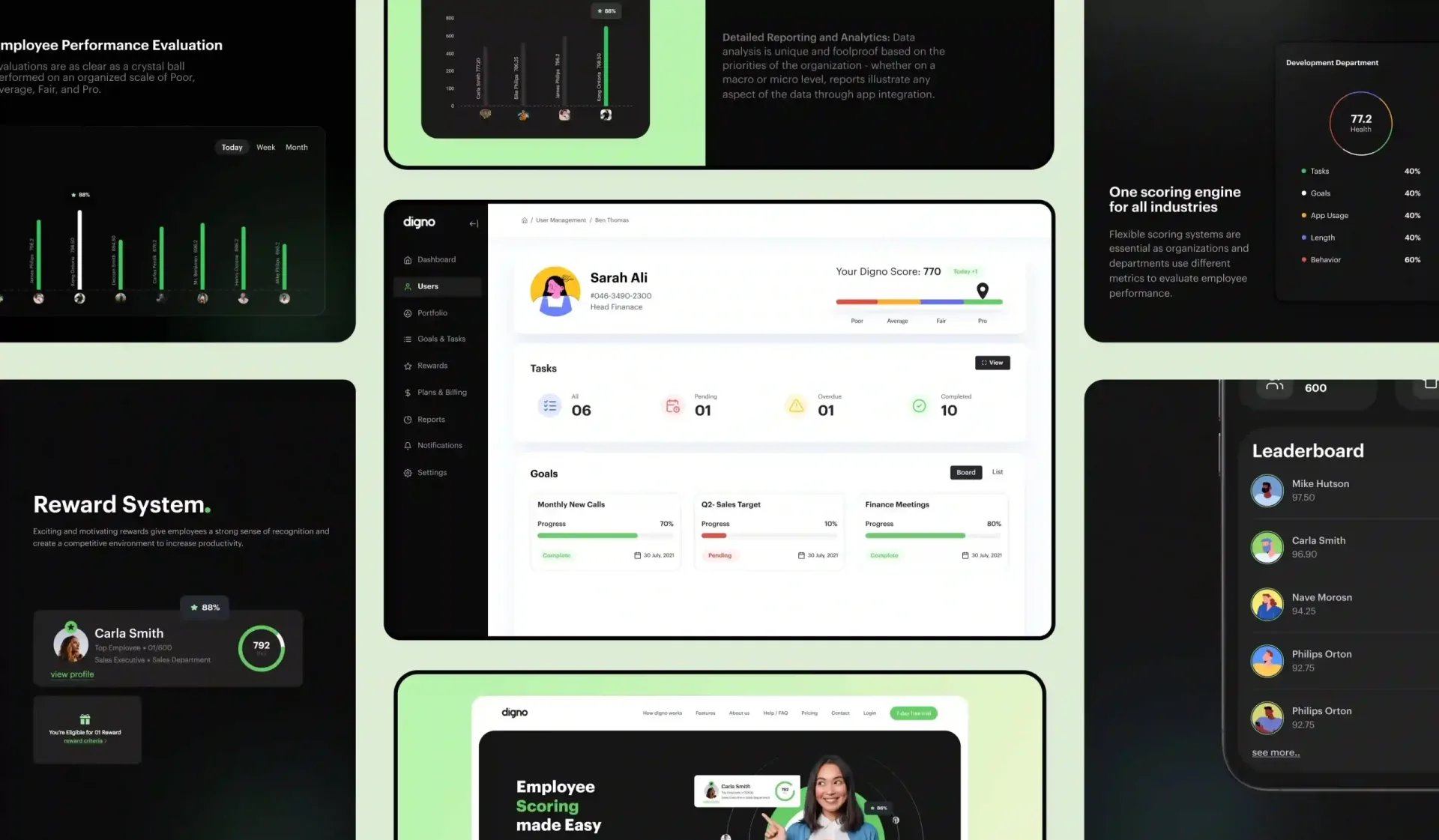
Before wireframes, we agree on a role-permission matrix of roles, objects, actions and permission levels with your product and security teams. Role-based views then hide modules a role cannot use. In Digno's three-level performance scores, the Digno score is computed at three levels: organization, department and individual employee.
Dense screens that stay readable
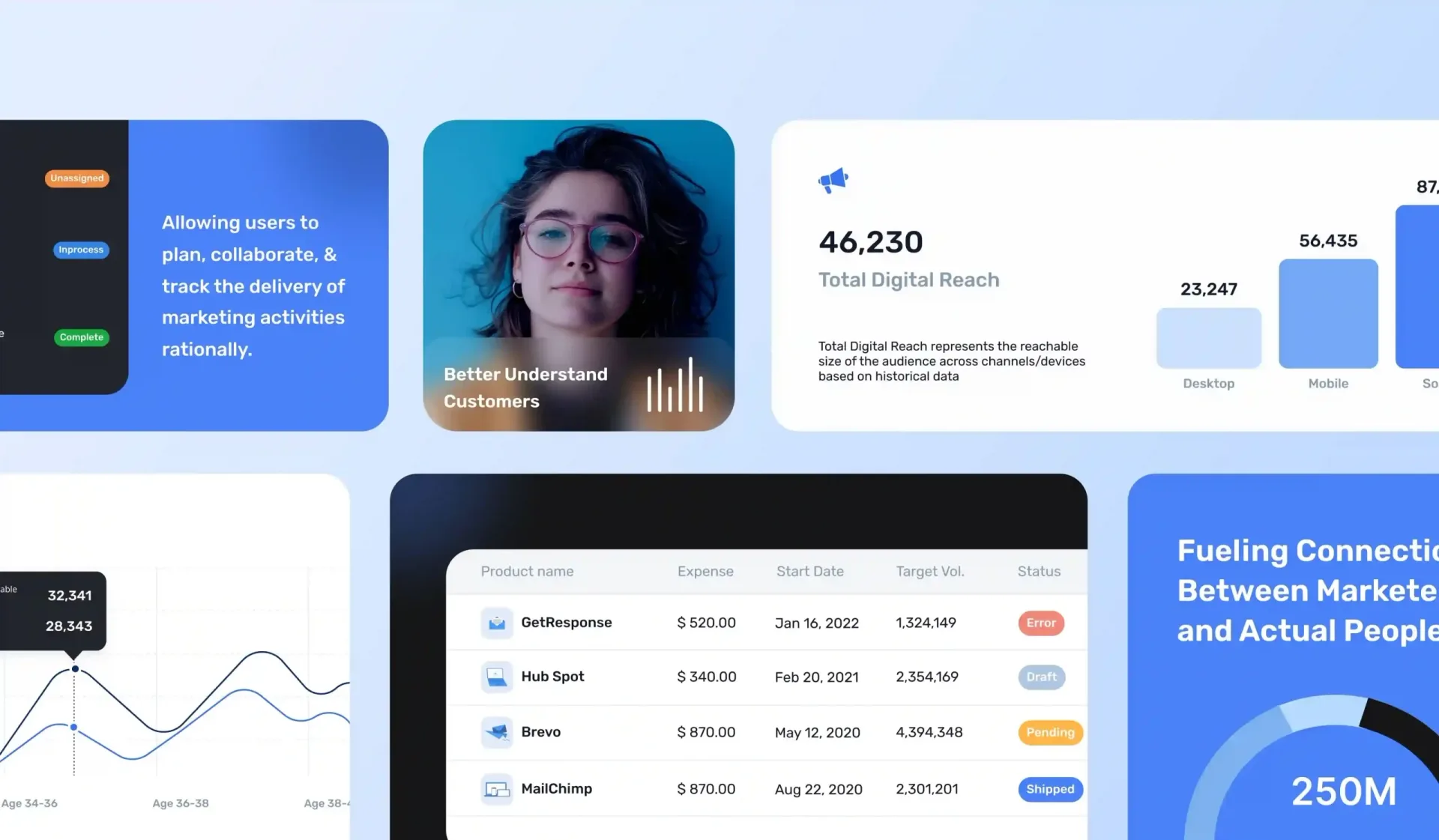
The data table, filter bar, bulk actions and saved views become our enterprise SaaS dashboard design patterns, which keep data density in check: summary first, detail on demand. For Mass Media Co., a single dashboard now covers open tasks, sales operations, recent tasks and how work flows for each client. New modules reuse those patterns in our enterprise SaaS product design work.
Admin and security surfaces
We design the admin console a security review inspects: SSO settings, SCIM (System for Cross-domain Identity Management) user provisioning, published as RFC 7644 in September 2015, an admin audit log viewer, access reviews and session settings. Those screens hold the security review evidence a SOC 2 auditor or a buyer asks for. We design them; we do not perform or certify audits.
Accessible design system
The design system ships Figma components with design tokens that match your front-end code. WCAG 2.2 target size (success criterion 2.5.8) sets a 24 × 24 CSS pixel minimum at AA; the notes also mark contrast, focus not obscured and accessible authentication (3.3.8). Empty state, loading and error variants are components, which raises design system coverage. Those notes feed the ACR.
AI with review and approval
AI review and approval is part of the design: answers show sources and confidence cues with inline edit, regenerate and undo, and AI agents get approval steps, an activity log and an easy stop button. These patterns give risk teams evidence under the four functions of the voluntary NIST AI Risk Management Framework: Govern, Map, Measure and Manage.
Rollout teams accept
New areas ship in phases behind feature flags, with a beta group first, in-app announcements, a short tour and an optional switch back during the beta. Two or three metrics, chosen from adoption rate, task time, error rate, training time and support tickets, are agreed at kick-off and compared before and after the rollout.
Is enterprise UX slowing your rollout or your security review?
If it is, book a 45-minute product review. A senior designer walks through your admin, roles and core workflow and names the three changes with the biggest effect.
Book an enterprise UX reviewWhat do product and IT teams get when we design their enterprise UX?
Design next to engineering
As an enterprise UX design agency inside tkxel, we check each design with tkxel engineers for build effort before you see it. You get annotated Figma files, components and specs, and a designer joins your sprint reviews until the screens are live.
Proof on a B2B platform
Mass Media Co. (MMC) is a digital marketing company that now runs one business-to-business (B2B) platform. MMC's order work was spread across tools that did not talk to each other. After our Mass Media Co. B2B platform revamp, order processing efficiency rose 30% and the order processing error rate was 2+, reduced from 25%.
Tested with real users
Every flow that carries risk is tested with 5 to 8 real users before engineering starts. On enterprise software, the most useful test group mixes roles, such as an approver, an admin and an operator, not only end users.
Works inside your process
We sign a mutual non-disclosure agreement (NDA) before the first detailed call and work in your Figma, Jira or Linear workspace. All Figma files, components and research notes transfer to your company when the project ends.
Ready to see your design opportunities?
Book a discovery callWhich steps take enterprise UX from role map to rollout?
- 01
Role and workflow review
We read your analytics, watch session recordings and interview 6 to 10 customers and churned users. Map the stakeholders in product, IT, security and procurement as well, because each of them can stop a rollout.
- 02
Permissions, flows and wireframes
The role-permission matrix gets signed off, then the riskiest workflow steps are redesigned first and tested as clickable wireframes before visual design starts. Include an approver and an admin among the testers.
- 03
UI and accessible design system
Final screens cover the data-dense patterns, the admin console and every AI state. They are built from Figma components with tokens and WCAG 2.2 AA annotations that your engineers reuse in every sprint.
- 04
Build support and rollout
Our designers join sprint reviews, run design QA on built screens and plan the beta group and phased release. Adoption metrics are compared before and after. Later, an embedded design team for long enterprise roadmaps keeps the system current.
Enterprise UX FAQs from product, IT and security leads
Straight answers about scope, timelines, pricing and how we work with your team.
Still have a question?
A senior designer replies to every message within one business day (ET).
Talk to a design leadWhat is enterprise UX?
How is enterprise UX design different for AI features?
Can you design enterprise software for Section 508 and WCAG 2.2 AA?
Do you help enterprise products pass SOC 2 security reviews?
How do you get employees to adopt a redesigned enterprise tool?
How much does enterprise UX design cost?
Have an AI or SaaS product to design?
Tell us what you are building. A senior designer reads it, replies within one business day (ET) and books a call. Need an NDA first? We sign one before any technical detail.